Send SMS with Teltonika – Usage
The plugin works almost as a drop-in replacement for WideQuick's built-in GSM Modem system, and requires no scripting. Once it has been imported as a resource, it is configured entirely from the Settings view.
Configure the plugin
- Start WideQuick® Runtime in the project where the plugin was imported.
- Navigate to Settings.
-
Under Advanced settings, click Teltonik Config.
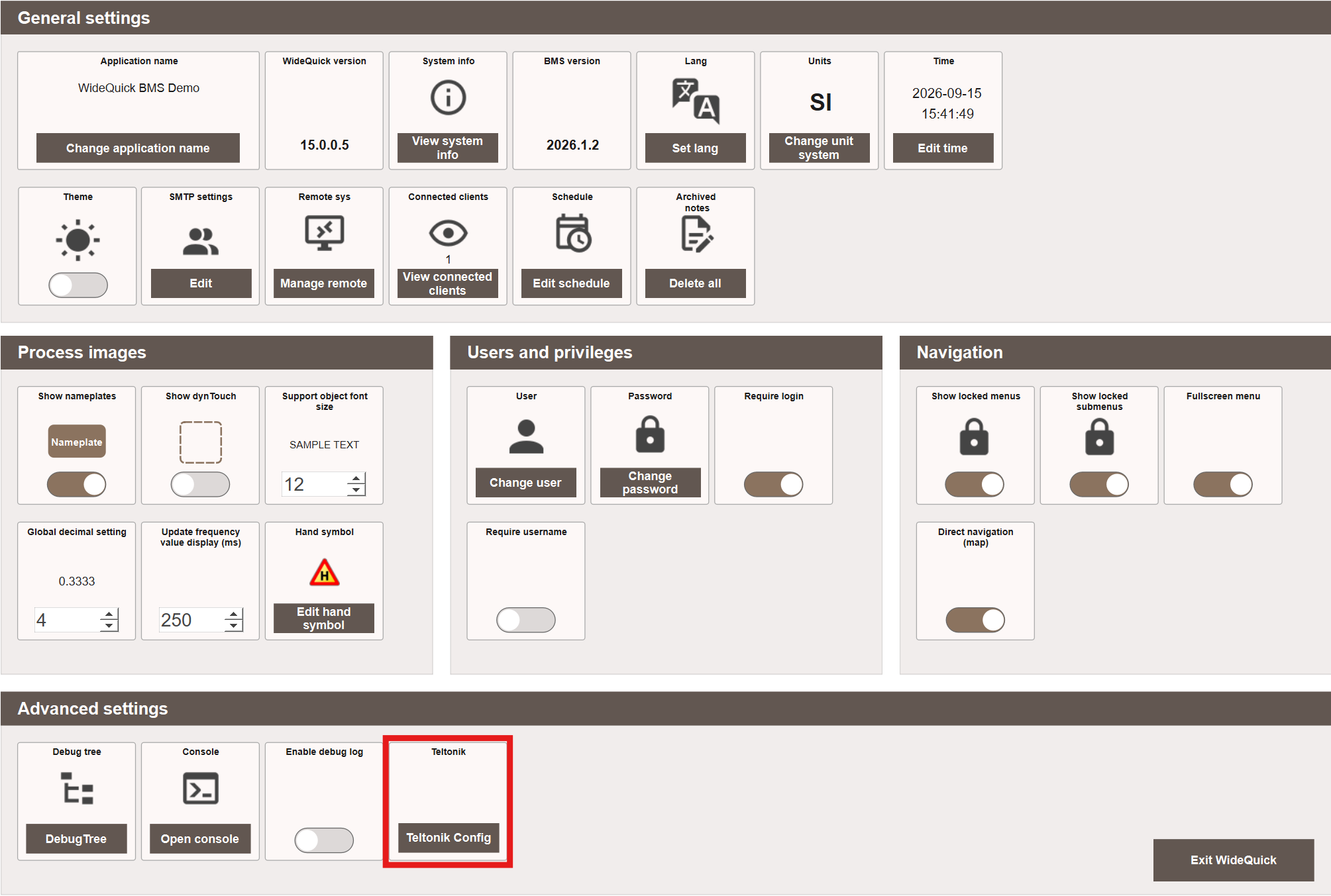
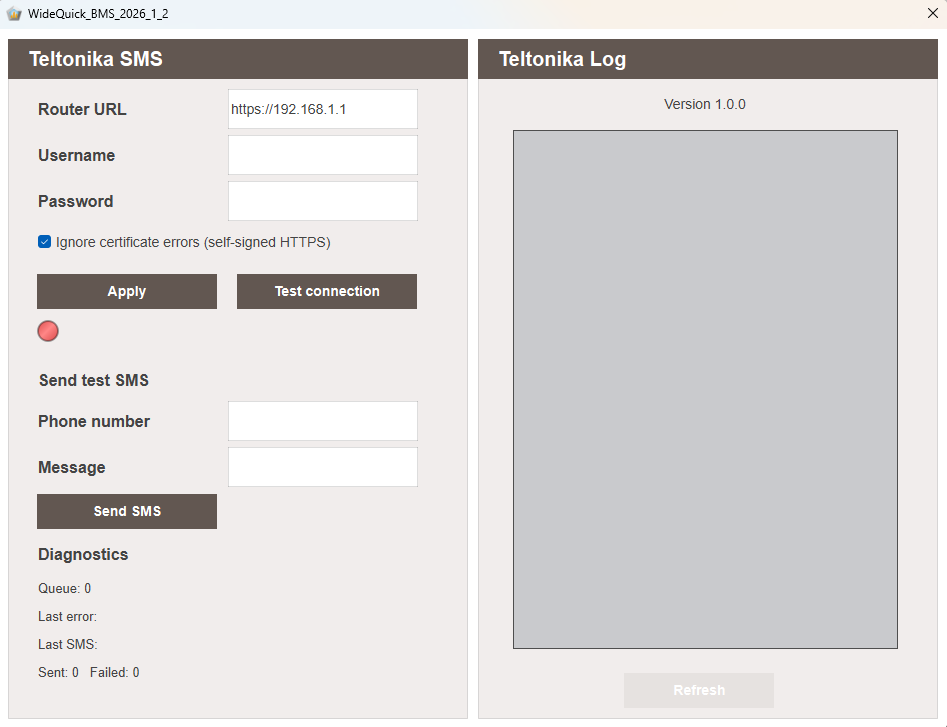
This opens the Teltonika SMS configuration dialog.
-
Enter the same Router URL, Username, and Password used when creating the router user during installation.
- Click Apply to save the configuration.
- Click Test connection to verify that the connection works. The indicator turns green once WideQuick successfully connects to the router.
Ignore certificate errors
Ignore certificate errors (self-signed HTTPS) is enabled by default, since the router's built-in certificate is self-signed and not issued for its local IP address. See Certificate valid for the router's IP address under Advanced if you would rather not disable certificate validation.
Send a test SMS
Once connected, use Send test SMS to verify that sending works end to end:
- Enter a Phone number and a Message.
- Click Send SMS.
Diagnostics shows the current queue length, the last error (if any), the last SMS sent, and running totals for sent and failed messages.
Teltonika Log
The Teltonika Log panel lists every message sent through the plugin, along with any errors, making it possible to track deliveries and diagnose failed sends. Click Refresh to update the log.
Automatic sending from alarms
Once the plugin is configured, it automatically sends SMS for any alarm notification schedule already set up to notify by SMS – no further setup is required.
Enable compact mode
It's recommended to enable compact mode for SMS in the schedule configuration. This keeps messages short instead of sending the full, detailed alarm text.