Documents - Extending
Privileges
Access to document actions is controlled by privileges. Buttons that require a privilege the current user does not have are visible but disabled. The required privilege is displayed below each disabled button.
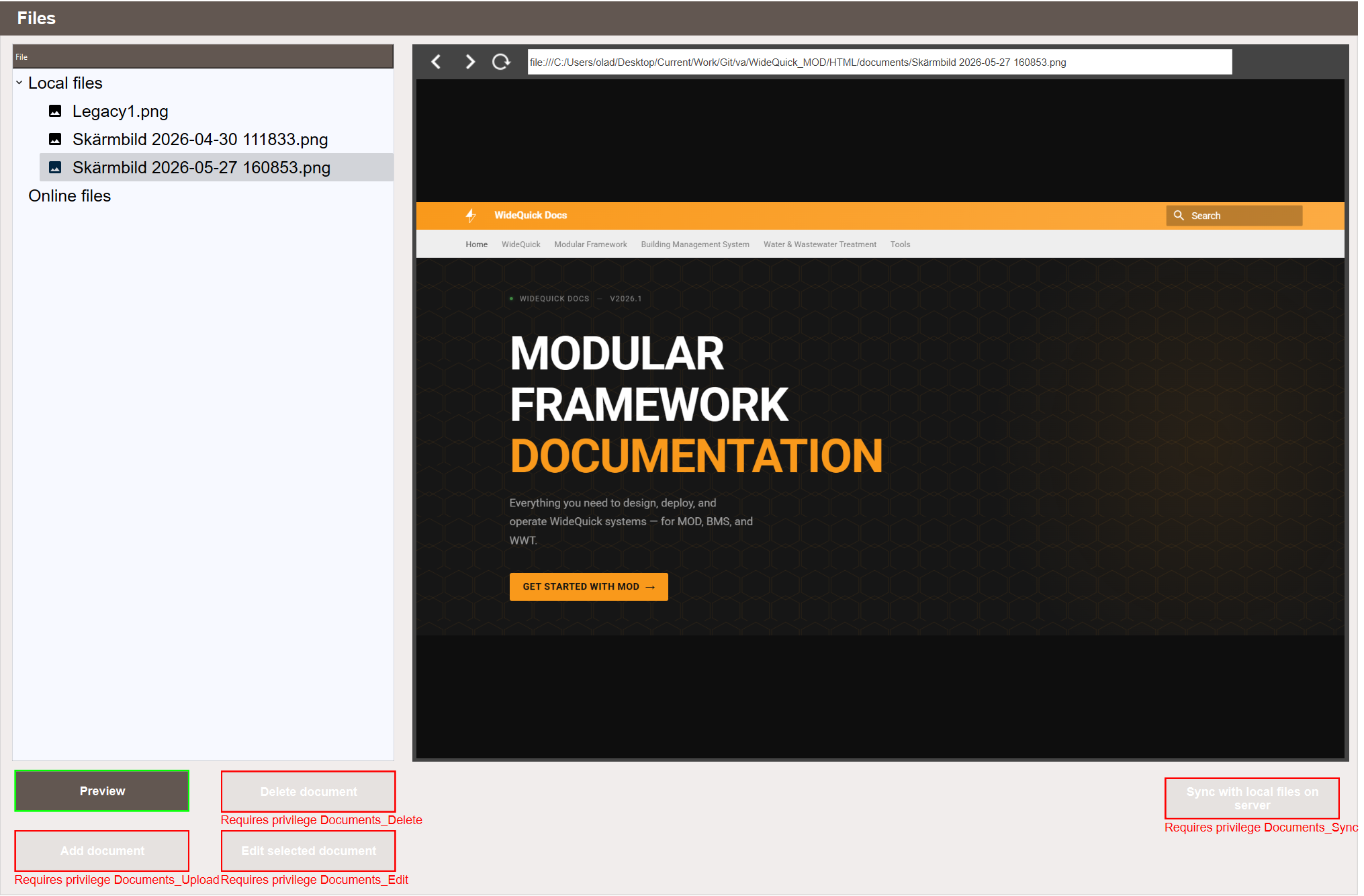
| Privilege | Controls |
|---|---|
Documents_Upload |
Add document: upload local files and add online resources |
Documents_Edit |
Edit selected document: rename documents and change the URL of online resources |
Documents_Delete |
Delete document: permanently remove a document |
Documents_Sync |
Sync with local files on server: sync the document list with the server filesystem |
Documents_Link |
Edit document links and Delete document link: linking and unlinking documents, both in Docs - Object Refs and in the object popup |
Documents_View |
Shows the documents views in the main menu and the Documents tab in object popups |
Documents_View takes effect through two settings that ship set to it. It is the workview privilege of the Documents folder under Settings → Workviews → Workviews - Privilege, which locks or hides the menu entries of both documents views, and the Visibility priv. of the Documents category under Settings → Suffix → Suffix Alias - Popups, which hides the Documents tab in object popups.