Logbook
The Logbook popup displays all logbook entries associated with the selected object. Users can create, edit, and delete notes directly from this popup. It is always visible in the Tab menu regardless of which suffixes the object has. For more information on how the logbook system works, see Logbook.
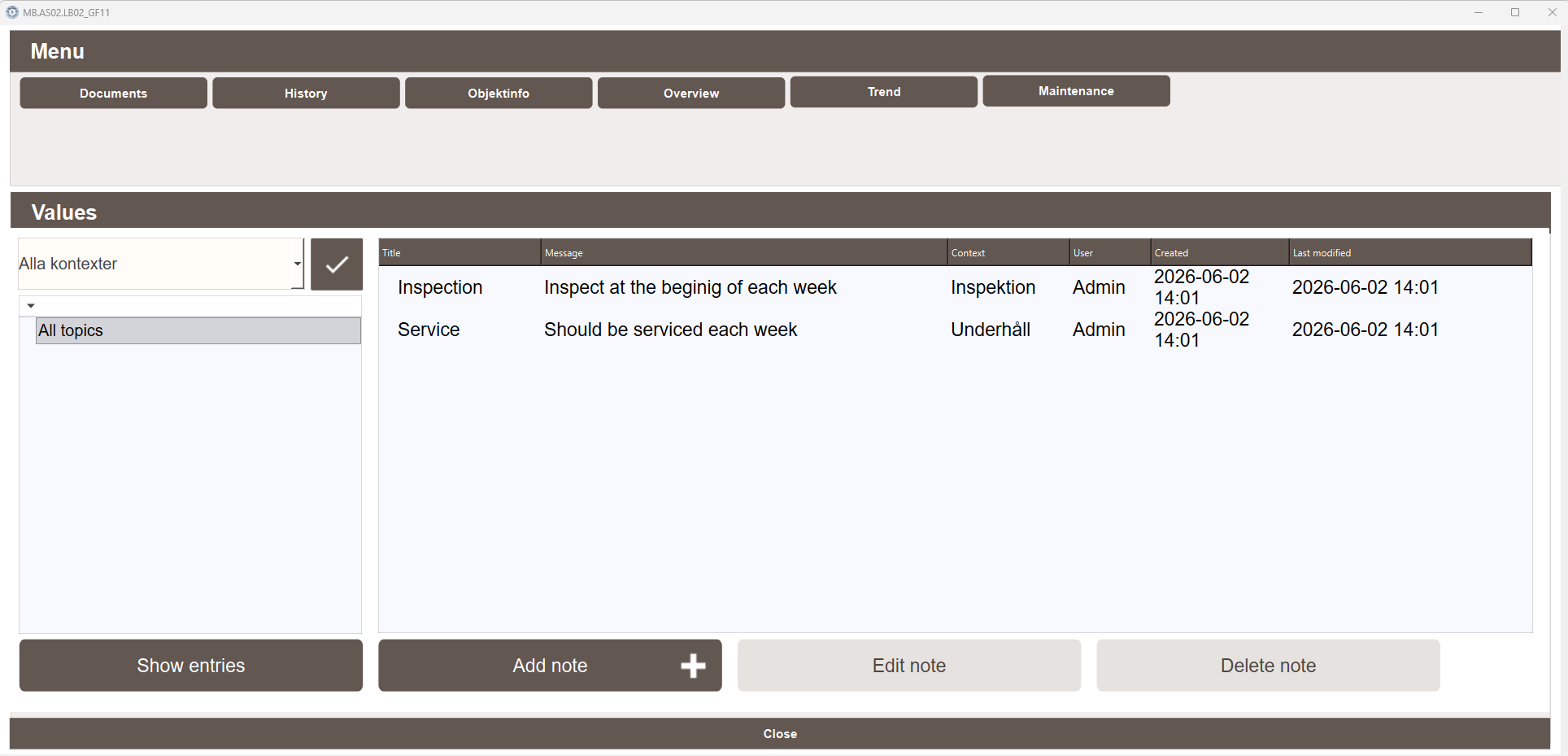
Entries
The entries list displays all logbook notes associated with the object with the following columns:
- Title — the title of the note
- Message — the content of the note
- Context — the topic or context the note belongs to
- User — the user who created the note
- Created — the date and time the note was created
- Last modified — the date and time the note was last edited
Filtering
The left panel allows filtering entries by context using the dropdown. Select All topics to show all entries, or choose a specific context to filter the list. Click the checkmark button to apply the filter. Click Show entries to display the filtered results.
Actions
The following actions are available at the bottom of the popup:
- Add note — creates a new logbook entry for this object
- Edit note — edits the selected entry
- Delete note — deletes the selected entry