Ethiris
Ethiris® is a video management software that can be connected to WideQuick.
Add Ethiris Server
In the project tree right click "Ethiris Servers" and select "Add Ethiris Server..." to open up the window below and fill in the boxes
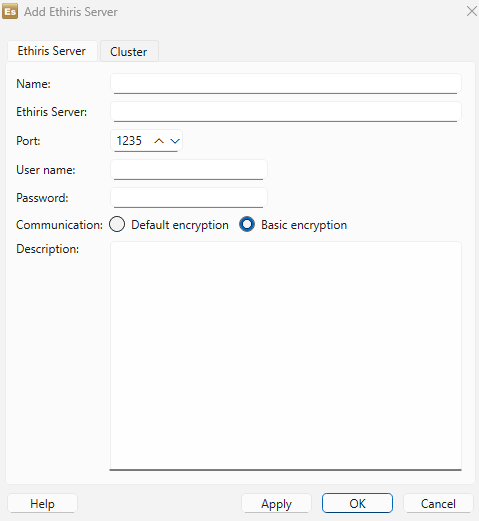
- Name - The name is used to identify for both scripts and EthirisView objects
- Ehtiris Server - Numeric IP or host name for the connection
- Port - TCP/IP port
- User name - Enter if needed to log in on the server
- Password - Enter if needed to log in on the server
- Communication - Default encryption/Basic encryption
- Description - E.g. what the server is used for.
Under the Cluster tab it's possible to combine Ethiris servers, which may provide ease of management for larger systems.
EthirisView Object
In order to create a EthirisView and adding it to a workview. Simply press the Ethrirs icon in the tool bar.

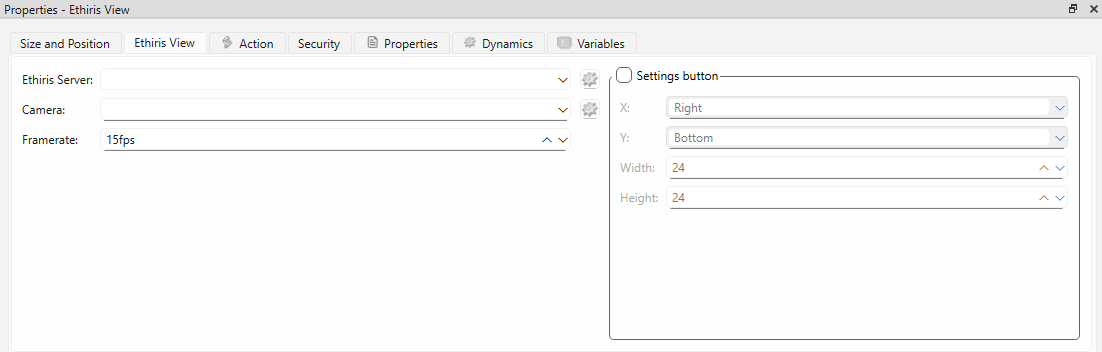
Place it and press the tab Ethiris View for configuration.
- Ethiris Server - Select the server it should be connected to
- Camera - Select camera
- Frame rate - Frame rate of selected camera
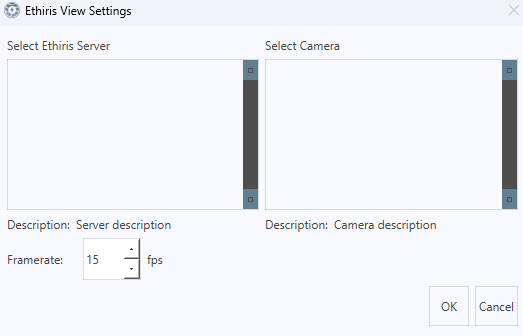
- Settings button - check the box if the settings button should be accessible in WideQuick Runtime®
If "Settings button" is checked the setting as seen in the image below can be reached.