Workview Animations
Requirements
In order the use Workview Animations the following scripts are required:
- scWorkviewAnimation
- scAlert
- scSuffix
- scPrototypes
WideQuick Modular Framework comes with the ability display different colors on symbols in object in order to display their status. This range from alarms and warnings to show if the object is active or under service. Just like for the popups and support object this uses suffixes to determine which color to display. Please see tag structure for more information on suffixes.
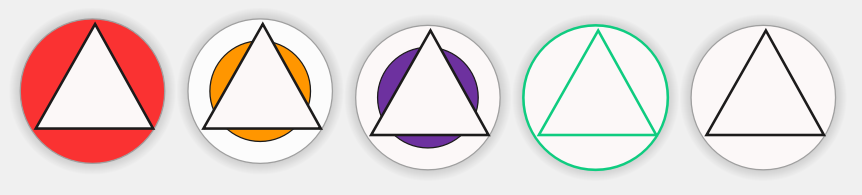
Bellow are examples from a motor fan in different states:
Configuring animations
Configuring which signal will trigger which color is easy. The settings for this can be found in the main menu under "Inställningar" --> "Suffix" --> "Suffix - Arbetsvyer". From here we have four different categories to choose from:
- Alarms
- Warnings
- Service
- Active
These categories are prioritized from top to bottom if you are using the activeColor configuration. This means that if an object has both a alarm and a warning, it will take the color of alarm since alarm has a higher priority in the list.
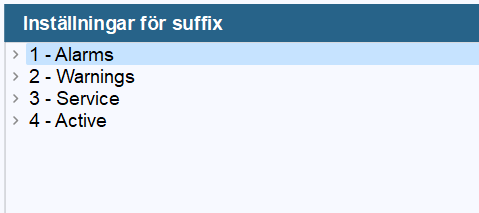
By selecting one of the four categories in the list, the settings for that category will appear on the right. Here we can choose if we want the object to blink in that color as opposed to just holding the color. Directly under that setting is a preview of the color. This color can be changed in themes.
The colors are the following:
-
Alarms - Symbol_Alarm
-
Warnings - Symbol_Warning
-
Service - Symbol_Service
-
Active - Symbol_Active
If non of the the groups above are active the object will instead take the color of:
- Symbol_Default
By selecting a category we can also choose to add suffixes to that category by clicking the button "Lägg till suffix i vald kategori". This will bring up a popup where the suffix will be given a name. The newly added suffix name will be added into the list under the selected category. Give the suffix name a suffix and a description. In order to save changes press "Skriv förändringar till DB" which saves it to the database.
In this example we have added a suffix called "Givarfel" with the suffix _LG to the category Alarms.
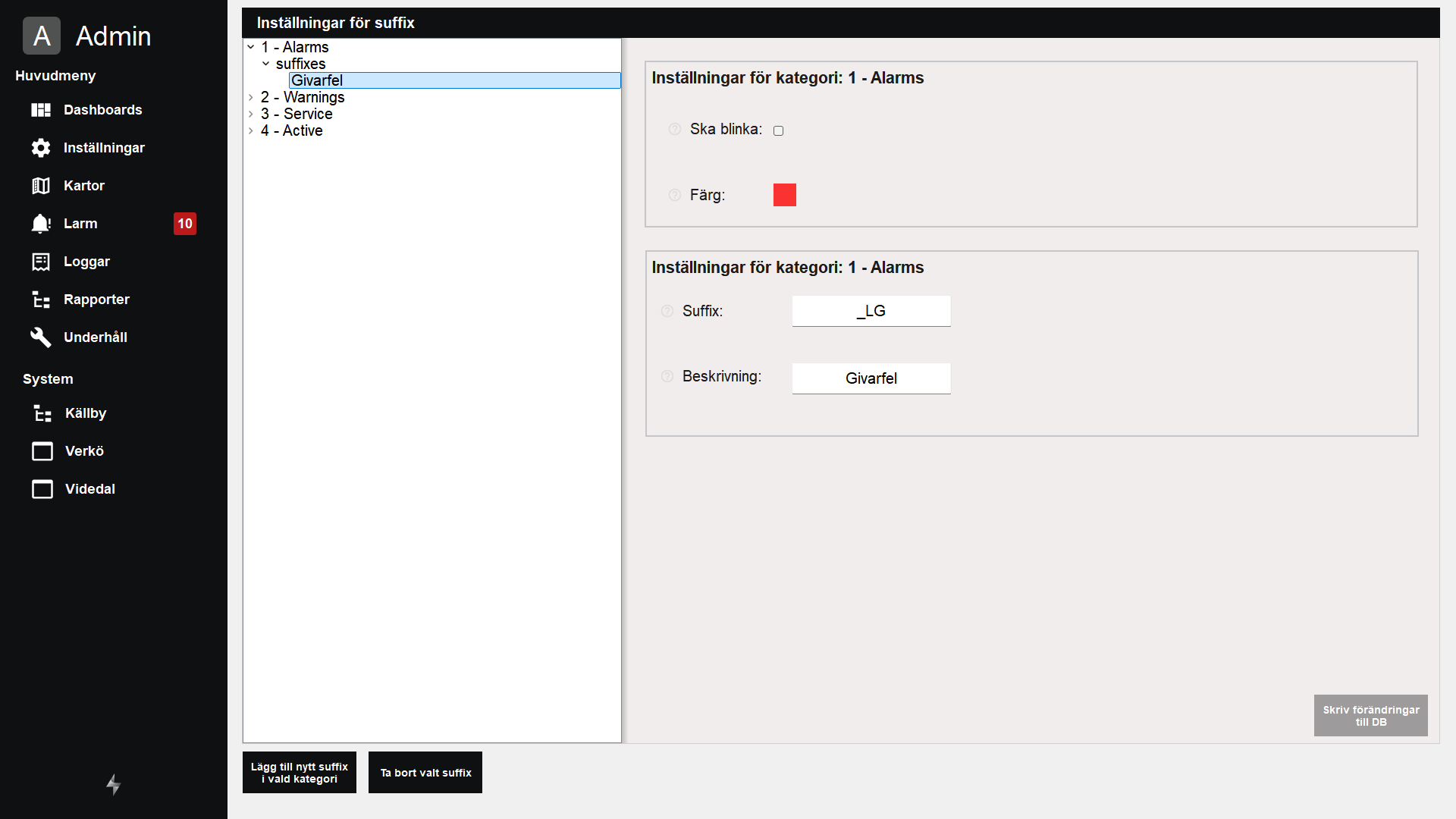
If any object has the suffix _LG and it is active(true or not equal to 0) the object will turn red.

Configuring animations for multiple colors
In order to make a object trigger from just one category, the following commands can be used with animation. Instead of using activeColor
-
Alarms - errorColor
-
Warnings - warningColor
-
Service - serviceColor
-
Active - okColor
This can be used to make a object show all categories, without one taking priority over the other. See example below: