Object Info
The Object Info popup provides a raw list of all signals connected to the selected object, pulled directly from the Data Store. It is always visible in the Tab menu regardless of which suffixes the object has. It is primarily useful for troubleshooting and verifying that the correct signals are connected to the object.
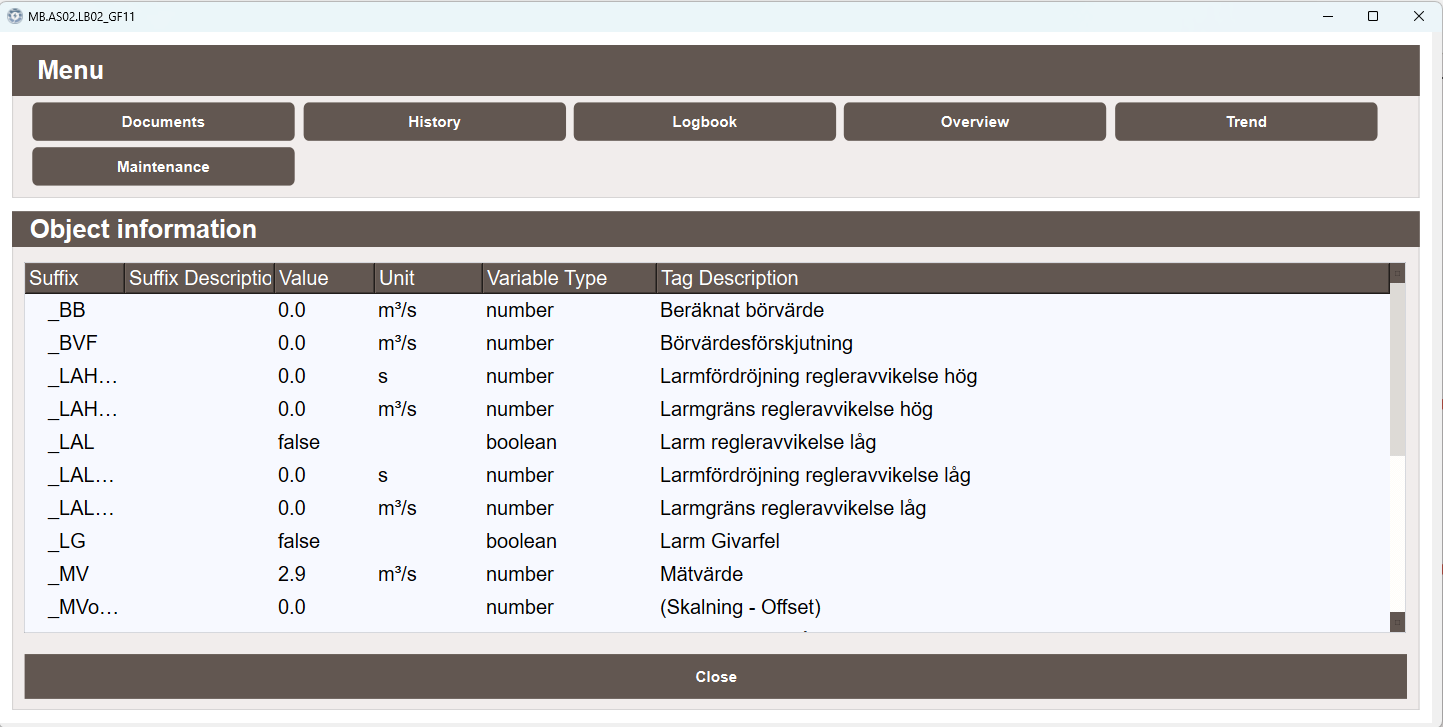
Object information
The table displays all signals belonging to the object with the following columns:
- Suffix — the tag suffix of the signal, for example
_MVor_LG - Suffix Description — the description of the suffix as configured in the suffix alias settings
- Value — the current live value of the signal
- Unit — the unit of the signal as configured in the suffix alias settings
- Variable Type — the data type of the signal, for example
numberorboolean - Tag Description — the description entered on the tag in the Tag Editor